From Paper to Production in Seconds
Caleb Coffie·
features
Paper order forms aren't going anywhere. Whether you're at a craft show with no WiFi, doing on-site embroidery at a corporate event, or taking walk-in orders at your shop, sometimes a pen and paper is still the fastest way to capture an order.
The problem isn't the paper — it's what happens after. Someone has to sit down and type all those handwritten names, item quantities, and contact details into your order system. It's tedious, error-prone, and usually gets pushed to "later" until you have a stack of forms and a headache.
We just shipped a feature that fixes this: AI-powered order form parsing.
How It Works
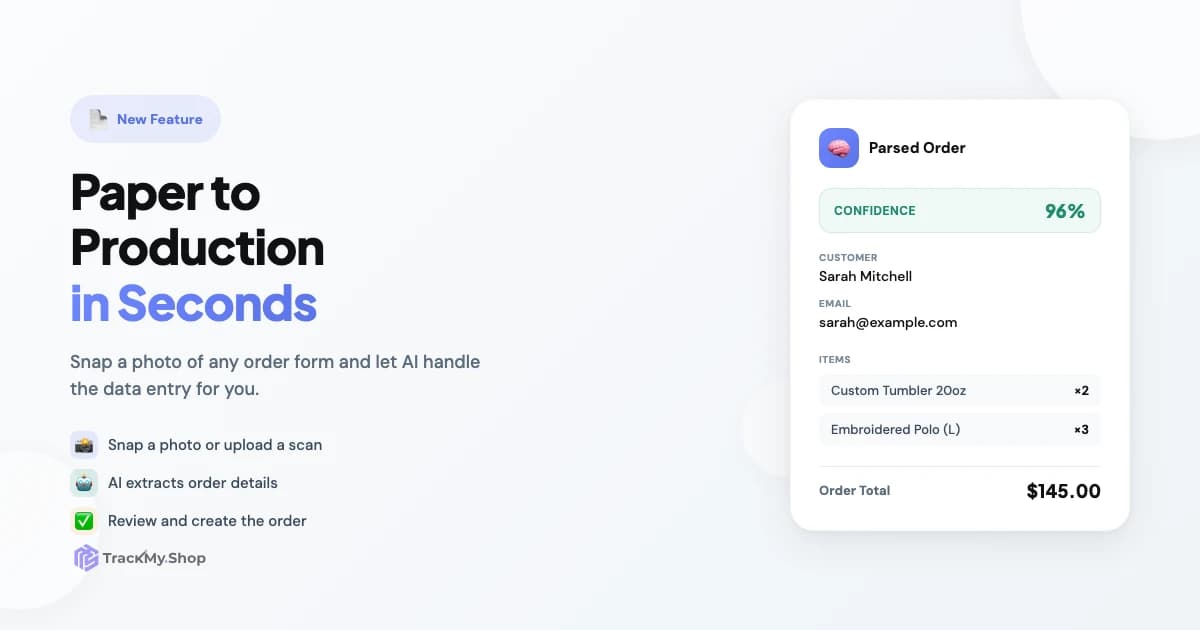
Take a photo of an order form with your phone, or upload a scan. Our AI reads the document and extracts the customer name, email, phone number, items, quantities, prices — everything it can find. You review the parsed data, make any corrections, and hit Create Order. Done.
The whole process takes about 30 seconds instead of 3-5 minutes of manual data entry.
Real Scenarios Where This Shines
Craft Shows and Markets
You're running a booth at a holiday craft fair. Customers are filling out order forms for custom tumblers — name, phone, item choices, maybe a deposit amount. By the end of the day, you've got 40 forms stuffed in a box.
Before: Spend your Sunday night typing them all in, squinting at handwriting, hoping you don't mix up phone numbers.
Now: Snap a photo of each form as you pack up. The orders are in your system before you finish loading the van.
On-Site Embroidery and Events
Corporate events, school spirit days, team sports — you're set up with your embroidery machine doing names on polos and hats. Customers fill out forms with their name, size, thread color choice, and payment info.
You can photograph forms between jobs or batch them at the end. Either way, you're not spending your evening doing data entry when you get home.
Walk-In Customers
Someone walks into your shop with a custom order — maybe a batch of laser-engraved awards for their company. They fill out your standard order form with all the details.
Instead of typing it in while they wait (or setting it aside and forgetting), you snap a photo right there. The order's in your system before they're out the door, and they'll get tracking updates automatically.
Scanner + API for High Volume
If you're processing dozens of paper orders daily, here's the power move: set up a document scanner that feeds into our API.
The /api/v1/orders/parse-and-create endpoint accepts an image and returns a created order. Pair it with a folder-watching script or a scanner with automation features, and you've got a pipeline:
- Stack your order forms in the scanner
- Scan them all at once
- Each scan automatically becomes an order in TrackMy.Shop
No manual intervention at all. Your paper orders flow into your Kanban board just like your Shopify and WooCommerce orders.
What the AI Extracts
The parser looks for:
- Customer info — name, email, phone number, shipping address
- Line items — product names, SKUs if present, quantities, prices
- Order totals — subtotal, tax, shipping, discounts
- Order numbers — if your form has a pre-printed order number field
- Notes — special instructions or comments
It works with typed forms, handwritten forms, invoices, receipts — pretty much any document with order information on it. The AI is flexible about layout and formatting.
The Confidence Score
Every parsed order shows a confidence score. If the AI is 95% confident, the handwriting was clear and it found everything it expected. If it's 60% confident, maybe the writing was rough or some fields were ambiguous.
You always review before creating the order, so low confidence just means "double-check this one." The AI won't silently create garbage orders.
Getting Started
AI Order Form Parsing is available on Team and Enterprise plans. To enable it:
- Go to Settings > Workspace
- Enable AI Order Form Parsing
- Head to New Order > AI Form to try it out
There's also a downloadable PDF template designed for clean AI parsing. Hand these out at events if you want to maximize accuracy — though the parser handles freeform layouts too.
One Less Excuse to Procrastinate
Every shop owner knows the feeling of staring at a stack of paper orders and thinking "I'll do that tomorrow." The forms pile up, details get stale, and customers wonder where their order is.
This feature doesn't eliminate paper — it eliminates the friction of getting paper orders into your system. Snap, review, create. Then the order's on your board, your customer gets tracking updates, and you can focus on actually making stuff.
We use this in our own shop for walk-ins and local events. It's changed how we think about paper orders. They're not a backlog anymore — they're just another input that flows right into production.
Give it a try and let us know what you think.